Google has begun a major evolution of AI integration within Gmail, signaling a shift in how users interact with AI tools in their inboxes. The company recently announced that the Gemini side panel, a longstanding feature for AI Pro and Ultra subscribers, is being phased out for personal Gmail accounts in the United States. In its place, Google is introducing in-line AI experiences, a more seamless and context-aware way to access AI functionalities directly within the flow of email threads.
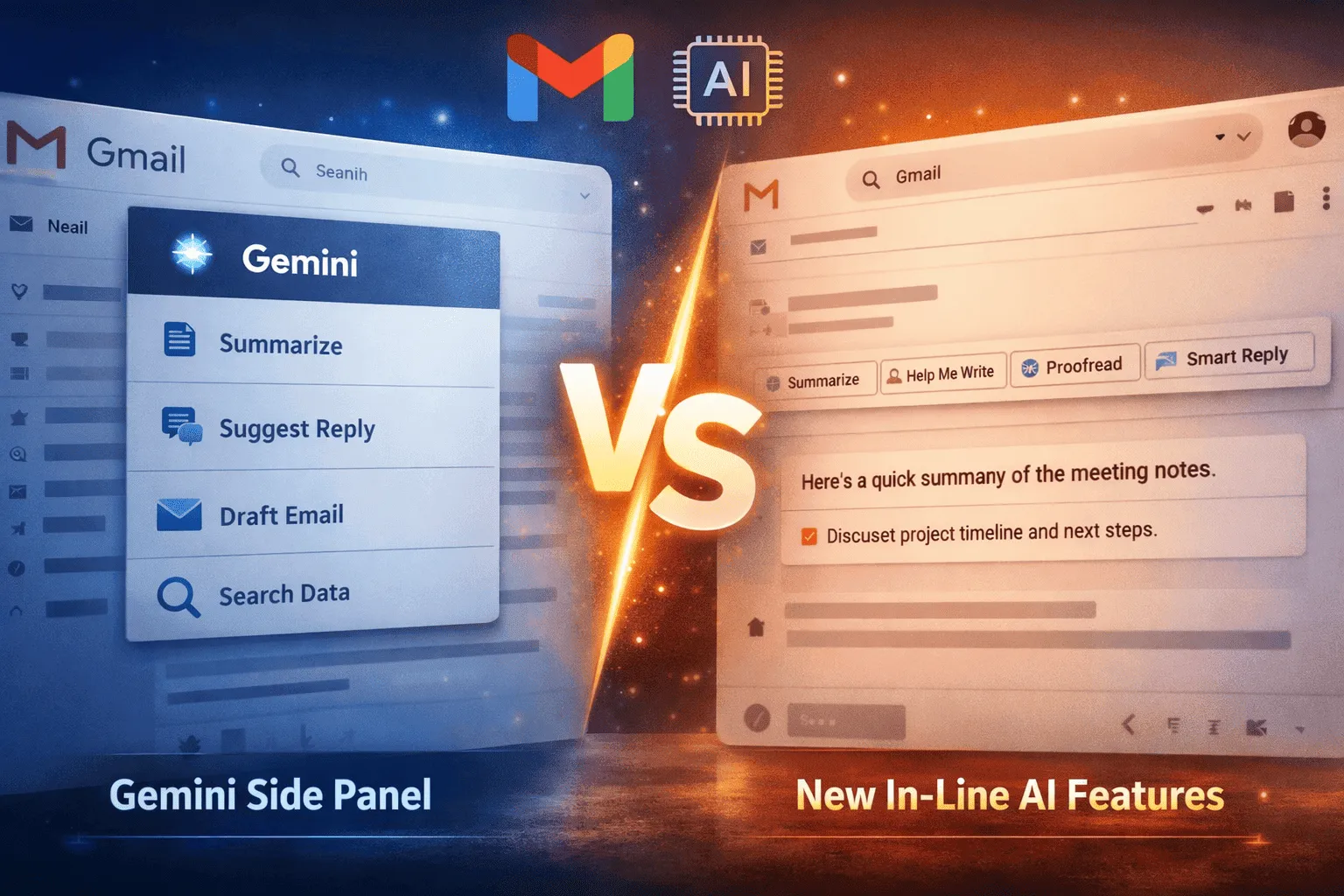
The Gemini side panel, previously accessed by clicking the Gemini spark in the top-right corner of Gmail, served as a centralized hub for AI assistance. It allowed users to summarize long email threads, draft emails, suggest replies, retrieve information from past messages, access Google Drive files, and even view or create events in Google Calendar—all from a single interface. For users who relied on AI for day-to-day email management, Gemini was a powerful tool. However, its separate panel design required users to switch focus away from their main inbox, which could disrupt workflow, particularly during busy workdays.
The Rise of In-Line AI
Google’s in-line AI experiences aim to address these workflow challenges by embedding AI directly into email threads, making assistance more intuitive, seamless, and contextually aware. Users can now interact with AI where they naturally read and write emails, reducing the friction associated with opening a side panel.
Among the core features of this new system:
- Help Me Write remains unchanged, allowing users to draft new emails or expand their existing responses with AI guidance.
- Proofread has been significantly upgraded. Beyond basic spelling and grammar corrections, it now offers style, clarity, and tone adjustments, making it a more advanced writing assistant. For example, a casual internal email can be subtly reworded for professionalism, while external client communication can be polished for clarity and conciseness.
- Suggested Replies have evolved to be fully context-aware, analyzing the entire conversation thread instead of providing generic responses. This ensures that AI recommendations are accurate, relevant, and conversationally appropriate, reducing the need for manual editing.
- AI Overviews can summarize even long, complex email threads. These summaries also appear in Gmail’s search results, enabling users to retrieve key insights from past emails without sifting through every message manually.
This approach represents a significant shift in Gmail’s AI philosophy: moving from a tool that users had to explicitly activate, to an AI assistant that is ambient, proactive, and woven directly into the email experience.
Comparing Gemini Side Panel and In-Line AI
To understand the impact of these changes, it’s helpful to compare the old Gemini panel with the new in-line AI features. While both tools provide similar capabilities—drafting, summarizing, replying, and retrieving information—the method of access, context awareness, and workflow integration are dramatically different.
Previously, Gemini required users to actively open a separate panel, which could be distracting during fast-paced email tasks. In contrast, in-line AI eliminates the need for this context switch, embedding AI functionality directly where it is needed. Summaries, suggested replies, and proofreading suggestions now appear alongside the email itself, making interaction smoother and faster.
Moreover, context awareness has been improved. While Gemini relied primarily on the currently active conversation in the panel, the new AI tools analyze entire threads and historical context. This enables smarter suggestions, more accurate summaries, and better-informed drafting assistance.
Even features like Calendar integration have evolved. Where Gemini offered a side-panel view for creating or viewing events, in-line AI now proactively suggests event creation based on the content of emails, providing a more natural and predictive experience. Similarly, searching for information in past emails or Drive files has been streamlined, with AI summaries appearing directly in search results, rather than requiring manual retrieval from a separate interface.
User Experience and Workflow Implications
The transition from Gemini to in-line AI has far-reaching implications for Gmail users.
First, it enhances workflow efficiency. By embedding AI tools directly within email threads, users spend less time navigating multiple interfaces, which is particularly valuable for those handling high email volumes. For instance, a manager reviewing a chain of project updates can instantly see summarized threads, suggested replies, and drafting assistance all in one place—without opening a separate panel.
Second, the intelligence of AI recommendations has improved. Suggested Replies now take the full context of a conversation into account, reducing errors and the need for manual corrections. Proofread goes beyond spelling, offering suggestions for tone, clarity, and conciseness, effectively acting as a personal writing assistant that helps users maintain professionalism and readability.
Third, AI Overviews help combat information overload. Long threads that previously required careful reading can now be distilled into concise summaries, highlighting action items and key points. Integration with Gmail search ensures that relevant information is easier to locate, enhancing productivity for users who need to reference past communications quickly.
Finally, the phased rollout indicates a careful, measured approach by Google. While personal Gmail users in the US are seeing the new features first, mobile users retain the Gemini panel for now, and Workspace accounts continue to use the traditional side panel. This ensures continuity for enterprise users while personal users benefit from streamlined, cutting-edge AI capabilities.
Future Outlook: AI as a Seamless Productivity Layer
The shift to in-line AI in Gmail signals a broader strategic vision for AI across Google Workspace. If successful, this model could extend to Docs, Sheets, and Calendar, creating an ecosystem where AI is embedded directly into daily workflows rather than existing as a separate tool. Features like predictive drafting, automated task creation, and contextual event suggestions could become standard, allowing AI to handle routine tasks while users focus on higher-value work.
Over time, this approach may transform Gmail from a simple email client into a centralized, AI-driven productivity hub. AI will not only assist with writing and summarization but could also anticipate user needs, flag urgent items, and suggest actions based on patterns in email and calendar data. In essence, Gmail could evolve into a platform where AI actively manages your communications, rather than simply assisting when prompted.
Conclusion
The retirement of Gmail’s Gemini side panel marks a turning point in Google’s approach to AI-assisted productivity. By embedding AI directly into email threads, Google is making the tools smarter, faster, and more intuitive. Personal Gmail users gain context-aware suggestions, enhanced proofreading, and integrated summaries, while enterprise users continue to enjoy Gemini’s familiar interface.
Ultimately, the shift underscores a clear trend: AI in Gmail is no longer optional or secondary—it is ambient, seamlessly integrated, and central to productivity. As Google continues to refine and expand these capabilities, users can expect a future where AI not only assists with email but actively shapes workflows, optimizes communication, and transforms Gmail into a true productivity powerhouse.